Cryptocurrency Mining: How to Mine Crypto at Home With PCs
Learn how cryptocurrency mining works on home PCs, calculate real hardware and electricity costs, and discover why consumer GPU mining is rarely profitable today.
Can You Profit Mining Crypto on a Home PC? A Realistic Guide for Beginners
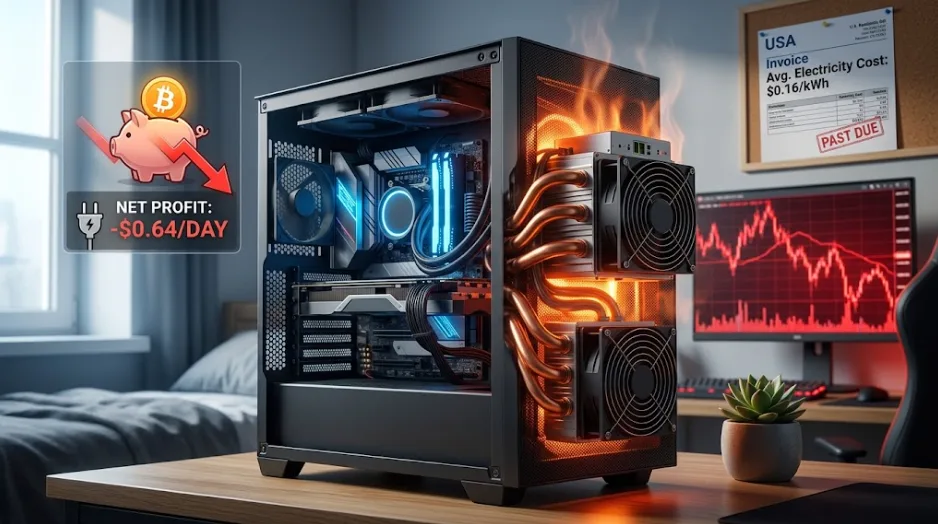
Learning to mine cryptocurrency on consumer hardware requires selecting an altcoin, configuring dedicated software such as XMRig or SRBMiner, directing your computational power to a mining pool, and routing rewards to a secure digital wallet. However, due to elevated network difficulty and average residential power costs of $0.16 per kilowatt-hour, mining top-tier cryptocurrencies on a standard home PC or a single GPU results in a daily net financial loss as of 2026. See the table below.
How to Start Cryptocurrency Mining in 5 Steps
To start cryptocurrency mining as a technical learning project, choose a coin compatible with consumer hardware, install hardware-compatible software, generate a receive address, connect to a pool, and monitor thermal output.
Follow these steps to set up an educational home testbed:
Select an Accessible Coin: Choose an algorithm tailored to consumer hardware, such as RandomX (Monero for CPUs) or KHeavyHash/KawPow variants (for desktop GPUs).
Set Up a Compatible Crypto Wallet: Install a dedicated self-custody wallet for your target asset to generate a public wallet address.
Download Mining Software: Fetch open-source mining client software such as XMRig (for CPU workloads) or WildRig Multi (for GPU workloads).
Configure Your Pool Connection: Edit the miner batch file (
.bator.sh) to insert your wallet address, select a nearby mining pool server, and set a worker name.Run Hardware Diagnostic Checks: Start the miner while monitoring core temperatures, keeping GPU junction temps below 80°C to prevent silicon degradation.
Can You Still Profit Mining Crypto on a Home PC?
Mining crypto on home PC hardware is rarely profitable because residential electricity prices almost always exceed the value of the digital tokens generated by a desktop graphics card or processor.
While graphics cards produced significant yields during earlier crypto expansion phases, two structural developments permanently reduced the viability of home setups:
The Ethereum Merge: Ethereum transitioned from Proof-of-Work (PoW) to Proof-of-Stake (PoS), instantly erasing over 90% of global GPU mining revenue.
ASIC Efficiency Gains: Custom application-specific hardware chips now process hashes hundreds of times more efficiently than general-purpose graphics cards.
The Math: A Worked Profitability Example
To evaluate how cryptocurrency mining profit calculations work in practice, examine the real-world operational balance sheet for an upper-mid-range desktop graphics card.
Under these baseline parameters, operating a single high-end desktop GPU costs $0.64 more per day in electricity than the coins it retrieves are worth. Over a full calendar year, this single system accumulates roughly $233 in negative cash flow, excluding hardware depreciation and thermal wear.
Hardware Realities: Nvidia Cripples Cryptocurrency Mining on RTX 3080 and 3070 Cards
When demand spiked during historic market rallies, manufacturers made targeted changes to consumer product lines. A prominent historical example occurred when Nvidia crippled cryptocurrency mining on RTX 3080 and 3070 cards by introducing Lite Hash Rate (LHR) firmware and driver limiters designed to detect and throttle Ethereum’s Ethash algorithm by 50%.
Although software developers eventually bypassed LHR restrictions, the episode highlighted three permanent risks inherent to consumer GPU setups:
Manufacturer Interventions: Hardware vendors actively modify driver packages or silicon features to protect standard consumer supply chains.
Algorithm Specificity: A GPU optimized for graphics rendering loses efficiency when tasked with repeated cryptographic hashing compared to tailored microchips.
Thermal Stress Failures: Continuous 24/7 mining workloads subject consumer video card memory modules (VRAM) to sustained high temperatures, leading to premature hardware degradation.
Consumer Hardware vs. Industrial ASIC Rigs
Comparing standard consumer PCs with industrial mining setups shows why desktop computers cannot compete on modern blockchain networks.
Beyond Proof of Work: Finding a Faster, More Efficient Cryptocurrency
As concerns about energy consumption grew, developers sought a faster, more efficient cryptocurrency validation framework that did not require energy-intensive hardware. This search accelerated the industry's transition toward alternative consensus mechanisms.
Proof-of-Work vs. Proof-of-Stake
Proof-of-Work requires physical computers to consume electrical power to solve cryptographic puzzles and validate blocks. Proof-of-Stake replaces physical hardware with financial collateral, allowing network participants to validate transactions based on the number of tokens they hold and lock up as "stake."
Practical Alternatives for Everyday Users
Proof-of-Stake (PoS) Staking: Blockchains like Ethereum, Solana, and Cardano use staking nodes. Users lock up native tokens to help secure the network in exchange for yields, using minimal electricity.
CPU-Tailored Blockchains: Protocols like Monero utilize the RandomX algorithm, specifically designed to resist ASIC customization and favor consumer-grade central processors.
Directed Acyclic Graph (DAG) Networks: Emerging ledger architectures eliminate classic block creation bottlenecks entirely, allowing instant validation without energy-intensive equipment.
4 Critical Failure Modes Beginner Miners Overlook
Beginners exploring cryptocurrency mining configurations often encounter common operational oversights that compromise hardware performance:
Ignoring Power Supply Efficiency Curves: Power supplies (PSUs) achieve optimal energy conversion efficiency between 50% and 80% load. Running a cheap PSU near 100% capacity draws extra electricity from the wall as waste heat, inflating power bills.
Thermal Throttling Memory Modules: Standard GPU monitoring utilities often show core temperatures, hiding GDDR6X VRAM junction temperatures. High memory temperatures trigger thermal throttling, reducing hash rates while drawing full power.
Miscalculating Electricity Tier Steps: Many municipal utilities apply tiered billing rates. Adding a 24/7 mining rig can push a household's electricity account into a higher price tier, increasing the cost of all household power.
Neglecting Mining Pool Thresholds & Payout Fees: Small-scale home setups often take months to reach minimum pool payout balances. Network transfer fees can consume a large percentage of micro-payouts when withdrawn.
Frequently Asked Questions
Is crypto mining on a home laptop worth it?
No. Mining on a laptop is not worth it because laptop cooling systems are not designed to dissipate continuous 24/7 thermal loads. Running mining software on a laptop quickly degrades the internal battery cells, causes severe CPU/GPU thermal throttling, and risks permanent motherboard damage while yielding negligible cryptographic returns.
What is the most profitable crypto to mine on a PC today?
As of 2026, no major cryptocurrencies generate significant profits on standard home PC hardware at average residential electricity rates ($0.16/kWh). Niche altcoins such as Monero (CPU-based) or Kaspa variants (GPU-based) remain mineable, but gross daily revenue rarely exceeds electricity costs.
How much electricity does a crypto mining rig use?
A single desktop GPU mining setup consumes 150 to 300 watts, translating to 3.6 to 7.2 kWh per day. Full-scale multi-GPU consumer rigs draw 1,000 to 2,000 watts continuously, whereas an industrial ASIC miner draws more than 3,500 watts—roughly equivalent to running an electric clothes dryer nonstop.
Can you mine Bitcoin with a normal graphics card?
No. You cannot effectively mine Bitcoin with a desktop graphics card or CPU. The Bitcoin network difficulty is so high that only specialized ASIC hardware can process blocks. A modern consumer GPU would take decades to independently discover a valid Bitcoin block at current difficulty levels.
What happens if you mine crypto on a CPU?
Mining on a CPU uses your computer's central processor to calculate cryptographic hashes. While software algorithms like Monero’s RandomX favor CPUs over GPUs, continuous CPU mining raises system temperatures, increases electricity usage, and yields low daily revenues on standard consumer processors.
Other topics: